
"Let the good times roll."

I wanted to have a small ``portable'' computer that is suitable for word processing and lightweight web browsing (e.g. online banking). I don't like laptops which are non-modular and increasingly non-repairable, so I built a prototype using Raspberry Pi and some spare and recycled items I had around. The inspiration was taken from Commodore 64 executive model that was the first ``luggable'' color computer with a small 5" monitor.
(Click the heading to read more...)
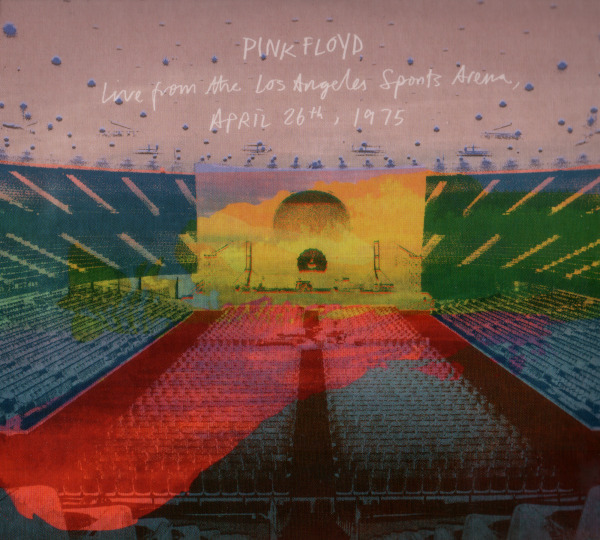
An official live bootleg album by PINK FLOYD released in 2026.
After and around The Dark Side Of The Moon, ROGER WATERS was having his true creative songwriting peak. Basically he concepted and wrote much of ``Dark Side..'' and then the follow-up album Wish You Were Here. WYWH got a release in 1975-09, and this show is from 1975-04 - but already by that time Waters had even wrote more material, the core part of one more new album - Animals (eventually released 1977). In this show (and tour) they basically presented their next two albums. Especially with ``Animals'' material it gets interesting.
They play two future ``Animals'' tacks. ``Raving And Drooling'' and ``You Gotta Be Crazy''. The latter ended up as ``Dogs'' and ``Raving And Drooling'' as ``Sheep''. The Raving... is more interesting here as the lyrical content is so different, and also musically the bass-lead playing has cool kraut-rock feel.
Another new year and another set of new generation AI text-to-image models have arrived, so time to tinker. While the early SD1.5 was cool (and still is) for its hackability, FLUX.1 was mostly boring despite giving impressive quality out of the box. But FLUX.2 and Z-Image are again bringing in a new fresh kick, and especially in the text encoder side the development is interesting.
Even though all the AI stuff is full of bloat and brute force, the quantization stuff nowadays helps keeping GPU and VRAM requirements somewhat reasonable. However the combined increased size of denoiser and text encoder models is still getting huge, so now the CPU RAM is now becoming actually a bigger bottleneck on my low-end machine.
To get reasonable throughput, models must stay resident in RAM. With ``small'' 16 GB RAM this is getting tough, so one needs to carefully select the right combinations. While it's still possible to use the bigger models, the model re-loading is so painfully slow it's not really worth it. Especially with distilled models where the inference is fast, constant re-loading would multiply the wall time per image.
With InvokeAI, assuming you have a dedicated headless machine, you can pin the model cache size to 14 GB - based on experiments the remaining 2 GB is sufficient for the InvokeAI itself and underlaying OS/SW stack to still run smoothly. Then you have 14 GB for models, and below table shows what can actually fit there at maximum:
| Model | Variant | Size (GB) | Text Encoder | Size | Total | Usage |
|---|---|---|---|---|---|---|
| FLUX.1 Fill Dev | Q4_K_M | 6.94 | BNB INT8 | 4.90 | 11.84 | 11.89 |
| FLUX.1 Fill Dev | Q5_K_M | 8.43 | BNB INT8 | 4.90 | 13.33 | 13.27 |
| FLUX.2 Klein 4B | BF16 | 7.75 | Q8 | 4.28 | 12.03 | 12.44 |
| FLUX.2 Klein 4B | Q8 | 4.30 | BF16 | 8.06 | 12.36 | 12.64 |
| FLUX.2 Klein 4B Base | BF16 | 7.75 | Q8 | 4.28 | 12.03 | 12.44 |
| FLUX.2 Klein 9B | Q4_K_M | 5.91 | Q4_K_M | 5.03 | 10.94 | 12.87 |
| FLUX.2 Klein 9B | Q4_K_M | 5.91 | Q5_K_M | 5.85 | 11.76 | 13.57 |
| FLUX.2 Klein 9B | Q5_K_M | 7.02 | Q3_K_M | 4.37 | 11.39 | 13.04 |
| FLUX.2 Klein 9B | Q5_K_M | 7.02 | Q4_K_M | 5.03 | 12.05 | 13.81 |
| Z-Image Base | Q8 | 7.22 | Q8 | 4.28 | 11.50 | 13.09 |
| Z-Image Turbo | Q8 | 6.58 | Q8 | 4.28 | 10.86 | 12.64 |
The ``usage'' referes to InvokeAI's report of ``cache high water mark'' after real repeated usage. Sometimes it's much bigger than the calculated total size, who knows why, but at least VAE etc. needs to also go there.
(Click the heading to read more...)
This is a list of native Commodore 64 programs I have stored on physical floppy disks for the Commodore 1541 drive. I have also backed up all these disks as D64 images elsewhere, so at least in theory they could be rewritten back to new disks using e.g. DiskSumo or a similar tool. Time will tell.
(Click the heading to read more...)
When I tried Stable Diffusion on a low-end PC, I was impressed how easy and cheap it was to get it usable with just a small GPU investment. But after SD 1.5, these models quickly grew insanely and hardware requirements likewise, so I kind of lost interest. It seemed like AI was just a brute-force effort requiring more and more excessive resources.
But at one point, I decided to try out FLUX.1 and was again impressed - not just the highly improved picture quality, but also the fact it was again runnable on a low-end machine. The essence of the story here is quantization - there are versions of models well below 10 GB in size, so they work nicely even with just 16 GB RAM and even less VRAM. They are close to full complete models still.
This time, the only investment I made was M.2 SSD and PCI-E adapter (total cost under 100 e) to bump up the model loading speed from spinning SATA disk's 100 MB/s to 350 MB/s (PCI-E Gen2 x1). Not strictly necessary but was a nicety.
Some examples of quantized model sizes (FLUX.1 Fill Dev):
| Model variant | Size | Load time with NVMe SSD/ext4 |
|---|---|---|
| Full | 22.17 GB | 68 s |
| Q8 | 11.85 GB | 36 s |
| Q5_K_M | 7.85 GB | 24 s |
| Q4_K_M | 6.47 GB | 20 s |
Once loaded, Q5_K_M and Q4_K_M can be kept fully in RAM on a 16 GB machine and they also fit into NVIDIA RTX 3060 12 GB VRAM. Given the fast loading and size there's are the most attractive ones to work with. While the bigger models also work with partial loading, things become just too slow. Quality-wise the smaller ones produce pretty good, comparable results. The Q5_K_M was the most optimal for me, and it was pleasing to be able to just delete and forget the others and free up disk space.
In image generation the iteration speed with 1024x1024 resolution is 4.74s/it (roughly 8 times more compared to SD 1.5) when using AMD-FX-6330 with 16 GB RAM and NVIDIA RTX 3060 12 GB VRAM graphics card (in PCI-E Gen2 x16 slot). The bottleneck here is either the GPU or the PCI-E bus.
But this shows that at least with FLUX models quantization works really well, and less can be more.
(Click the heading to read more...)
When setting up my vintage Bitwoods RBBS-PC, I faced some strange issues when trying to get the old trusty RBBS-PC (compiled using QuickBASIC 4.5) running properly on modern hardware and emulators. It turned out all these problems were 8087 related. I still haven't found the very exact root cause why QB applications fail and produce wrong results on modern environments, I but at least I've found some clues and workarounds that allow me keeping using them.
(Click the heading to read more...)
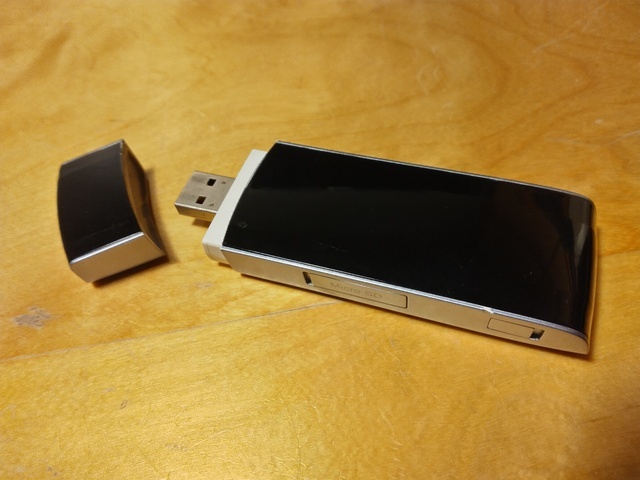
I have used a Huawei E392 modem for my main Internet connection needs since 2016. I've attached it to a Raspberry Pi that acts as a router.
This is an old school modem that appears as a serial device (AT command modem) and PPP is used to run the Internet Protocol. Compared to newer USB modems (that appear as Ethernet devices running their own IP stacks with NAT, Web UIs and whatever other malware), the AT command interface is much more low-level and hackable, as it allows you to both monitor and control some aspects of the radio link.
The modem has turned out to be pretty robust. The ones I bought were already second-handed, and they have been running pretty much 7/24 since (it's now end of 2024). Maybe once a year there's a hang that requires power cycling. The performance is sufficient. I haven't had the need to use an external antenna - in every location in Finland where I've used it, the signal has been good enough.
This article documents some technical low-level stuff that I've found from other sources and/or reverse-engineered.
(Click the heading to read more...)
Some personal records on Atari games.
| Game (and settings) | Switches | High score | Date | Hardware |
|---|---|---|---|---|
| Burning Rubber | 11320 | 2023-10-01 | B0 | |
| Dragster (mode 1) | 6:57 | 2021-01-31 | A0 | |
| Enduro | 416.4 km (3) | 2022-09-06 | A0 | |
| Fatal Run | 22790 | 2022-10-29 | A0 | |
| Indy 500 (Game 2) | BB | 7 | 2021-01-31 | A0 |
| MotoRodeo (Truck, Tires, Easy) | BB | 575 | 2021-10-22 | A0 |
| Night Driver (Game 1) | AB | 52 | 2021-01-10 | A1 |
| Pole Position | 31420 | 2024-12-15 | A0 | |
| Space Invaders | 7609 | 2021-01-31 | A0 | |
| Sprintmaster (Bounce/4 Laps/Track 1/Black) | BB | 0.25:1 | 2021-01-31 | A0 |
(Click the heading to read more...)
THEC64 is a pretty nice Commodore 64 emulator but the UI is a bit clumsy. It assumes that D64 files are ``one disk, one autoloading program''. There's no quick way to browse disk images and lauch a specific program, instead you need to do it manually like back in the day:
Switch to Classic mode. Once booted, press the rightmost joystic special button and select:
Now the disk is activated and you can load the index with:
LOAD "$", 8
And then LIST and load the program you need. Of course this is all quite authentic but maybe they could have provided some kind of faster method for disk browsing...
MIPS.COM is a popular MS-DOS and IBM PC benchmark program from 1980s.
The version of my binary is v1.10, 13312 bytes and the file time stamp is 1987-03-28 (md5sum 2ca6ecb0dbacfb78da35b13ae73aaf8d). No source code is known to be available. However, like with many programs from this era, the disassembly is almost human readable code.
The program has couple annoying cosmetic problems when it's run on a modern PC today, and I have attempted to fix them.
(Click the heading to read more...)
[Computers] [Records] [Bootlegs] [Movies] [Books]
Send e-mail to Aaro Koskinen <aaro.koskinen@iki.fi> or leave a note at Bitwoods RBBS-PC.
Last updated: 2026-07-03 17:21 (EEST)
![[Conceptual continuity]](map.svg)